Compare the best Saudi Arabia eSIMs for Umrah in 2026. Real pricing, data tips, setup steps for Nusuk and WhatsApp, plus advice for Makkah and Madinah arrivals.
The first thing many pilgrims reach for after landing in Jeddah or Madinah is their phone — to confirm a Nusuk permit, message family back home, or pull up a ride to the hotel. None of that works without a reliable data connection, and the old routine of queuing at an airport SIM counter with your passport is exactly the kind of friction you don't want after a long-haul flight.
A travel eSIM solves this. You buy and install it before you fly, then walk off the plane already connected. This guide compares the best Saudi Arabia eSIMs for Umrah travelers in 2026, with real pricing, honest trade-offs, and the practical setup details that matter when you're navigating crowds near the Haram with one bar of signal.
You can skip the comparison and grab a ready-to-install Saudi plan on our eSIM page — activate it before you fly and you'll land already connected.
Why Umrah travelers should use an eSIM in Saudi Arabia
Umrah is a logistics-heavy trip. You're moving between an airport, a hotel near the sanctuary, the Haram itself, and often a second city. Almost every step now assumes you have data.
A working connection lets you:
- Open and manage the Nusuk app, which handles permits, Rawdah (Riyad ul Jannah) visit slots, and official updates — all of which need live internet.
- Use Tawakkalna, ride apps like Careem and Uber, and Google Maps to move around Makkah, Madinah, and Jeddah.
- Coordinate a group. Families and tour groups get separated constantly in dense crowds, and a quick dropped location pin saves a lot of stress.
- Share moments and check in with relatives over WhatsApp without paying roaming rates.
The alternatives are weaker. International roaming is unpredictable and often expensive. A local prepaid SIM bought on arrival requires passport registration, can mean a long wait during peak Umrah and Hajj periods, and forces you to remove your home SIM — which can break the SMS codes your bank, Apple ID, or Google account send you.
An eSIM sidesteps all of that. It runs as a second line alongside your normal SIM, so your home number stays alive for security codes while the eSIM handles data.
eSIM vs local SIM vs roaming: quick comparison
| Option | Setup effort | Typical cost (7–10 days) | Keeps home number active | Best for |
|---|---|---|---|---|
| Travel eSIM | Install before you fly, online | $10–$35 | Yes (dual SIM) | Most Umrah travelers |
| Local prepaid SIM | Buy on arrival, passport registration | $15–$40 + queue time | No (single SIM swap) | Long stays, those wanting a local number |
| International roaming | None | Often $10+/day, sometimes far more | Yes | Very short trips, last-minute only |
For the overwhelming majority of pilgrims, the eSIM wins on convenience and cost. The only travelers who should consider a local SIM are those staying several weeks who specifically want a Saudi phone number.
Best Saudi Arabia eSIMs for Umrah travelers in 2026
Saudi Arabia's mobile networks are genuinely strong. Three operators — STC, Mobily, and Zain — run nationwide 4G with extensive 5G across Makkah, Madinah, Jeddah, and Riyadh. Travel eSIMs ride on one or more of these networks, so coverage is rarely the deciding factor. Price, data structure, app quality, and customer support are what separate the providers.
Prices below were checked in 2026 and are in USD. They move around with promotions, so treat them as a guide and confirm on each provider's site before buying.
| Provider | Network used | Example plan | Approx. price | Unlimited option | Notes |
|---|---|---|---|---|---|
| Airalo (Red Sand) | Zain | 20 GB / 30 days | ~$42 | "Unlimited" = 3 GB/day full speed, then throttled | Familiar brand, easy app |
| Saily | STC / Mobily | 10 GB / 30 days | ~$19 | Yes, in select plans | Clean app, flexible refunds |
| Holafly | STC / Mobily | 7 days unlimited | ~$29.90 | Yes, truly unlimited (fair-use applies) | Hotspot sharing, 24/7 support |
| Nomad | STC / Mobily | 10 GB / 30 days | ~$19 | No | Free 1 GB trial for new users |
| Jetpac | STC / Mobily | 10 GB plans | ~$15–20 | Some | Data-only, 5G, good value |
All of these are data-only — no Saudi phone number or SMS. That's fine for Umrah, because everything you actually need (Nusuk, maps, WhatsApp, ride apps) runs on data.
Airalo — best for brand familiarity
Airalo is the eSIM most travelers have heard of, and its Saudi "Red Sand" packages run on the Zain network. Pricing isn't the cheapest in the group, but the plans are easy to read: roughly $4.50 for 1 GB over 7 days at the low end, up to a 25 GB plan for around $49 over 45 days, with 20 GB options near $40–$42.
One thing to know: Airalo's "unlimited" Saudi plans are not truly unlimited. You get about 3 GB of full-speed data per day, after which the connection slows to roughly 1 Mbps. That's still usable for messaging and maps, but it isn't streaming speed. If you've used Airalo before and value a known app over the absolute lowest price, it's a sensible pick.
Saily — best app-first experience
Saily (from the team behind NordVPN) has become a favorite for travelers who want a clean, modern app and straightforward pricing. Plans start around $4.49, with a 10 GB option that suits a typical Umrah trip well, and select unlimited plans are available. Its refund policy is more flexible than most, which is reassuring if your phone turns out to be incompatible.
Holafly — best for unlimited data and hotspot users
If you don't want to think about data at all, Holafly's unlimited plans are the easy answer. Every plan includes hotspot sharing and 24/7 support, which is useful if you're keeping a less tech-savvy family member connected through your phone. A 7-day unlimited plan sits around $29.90. The caveat is a fair-usage policy that can reduce speeds during very heavy use, so "unlimited" means unlimited volume, not unlimited top speed.
Nomad and Jetpac — best for value and flexibility
Nomad offers a wide ladder of plans from 1 GB up to 50 GB, plus a free 1 GB trial that's perfect for testing activation before you commit. Jetpac is consistently one of the better-value data-only options with 5G support. Both are strong mid-priced choices for travelers who want to match their data to their actual trip rather than overpay for a round number.
Quick answer: Which eSIM is best for Umrah? For most pilgrims, a 10–15 GB data-only plan covers a 7–10 day Umrah trip comfortably. Choose an unlimited plan if you want to stop thinking about data and don't mind paying more. You can buy and install a Saudi plan in minutes on our eSIM page.
How much data do you need for Umrah?
Real usage tends to be higher than people expect, because Umrah involves constant navigation, photo sharing, and app activity on top of normal browsing. When you're moving between Makkah, Madinah, and Jeddah, 2.5–3 GB per day is common.
| Trip type | Length | Recommended data | Rough fit |
|---|---|---|---|
| Short Umrah, light use | 4–5 days | 5–8 GB | Maps, WhatsApp, Nusuk, occasional photos |
| Standard Umrah | 7–10 days | 10–15 GB | Everyday browsing plus heavy navigation |
| Umrah during Ramadan | 10–14 days | 15–20 GB | Heavier sharing, video calls home |
| Extended / Hajj-length stay | 3–4 weeks | 20 GB+ or unlimited | Long stays, group coordination |
A practical tip: it's better to slightly over-buy than to run dry near the Haram with no easy place to top up. Most providers let you add more data in the app, but doing it on the move in a crowd is the last thing you want.
How to set up your eSIM for Umrah (step by step)
The setup that works best for pilgrims keeps your home SIM and your travel eSIM both active, with each doing a specific job.
- Check your phone first. Your device must be eSIM-compatible and network-unlocked. That covers iPhone XR/XS and newer, Samsung Galaxy S20 and newer, and Google Pixel 3 and newer.
- Buy and install 1–2 days before you fly. Install over home Wi-Fi so you can confirm it works before departure. Your data allowance doesn't start counting until you enable roaming in Saudi Arabia, so installing early costs you nothing.
- Set the eSIM as your default data line. This is the single most common mistake — people activate the eSIM but their phone keeps using the home SIM for data, racking up roaming charges. In your settings, set the travel eSIM as the line used for cellular data.
- Turn on data roaming for the eSIM line only. Counterintuitively, "roaming" must be on for the travel eSIM to connect to the local network.
- Keep your home SIM active for calls and texts, with its data roaming OFF. This way your bank, Apple ID, Google, and Nusuk security codes still reach you by SMS, but the home line never uses pricey data.
- Test everything before you leave Wi-Fi range. Load a web page, open Maps, send and receive one text on your home line, and open Nusuk. Signal bars alone don't prove a working setup — confirm data and your OTP codes actually arrive.
Buying for parents or a group? You can purchase on your own device and forward the QR code by email, then spend a couple of minutes on their phone scanning it and adjusting the data settings.
Staying connected in Makkah and Madinah
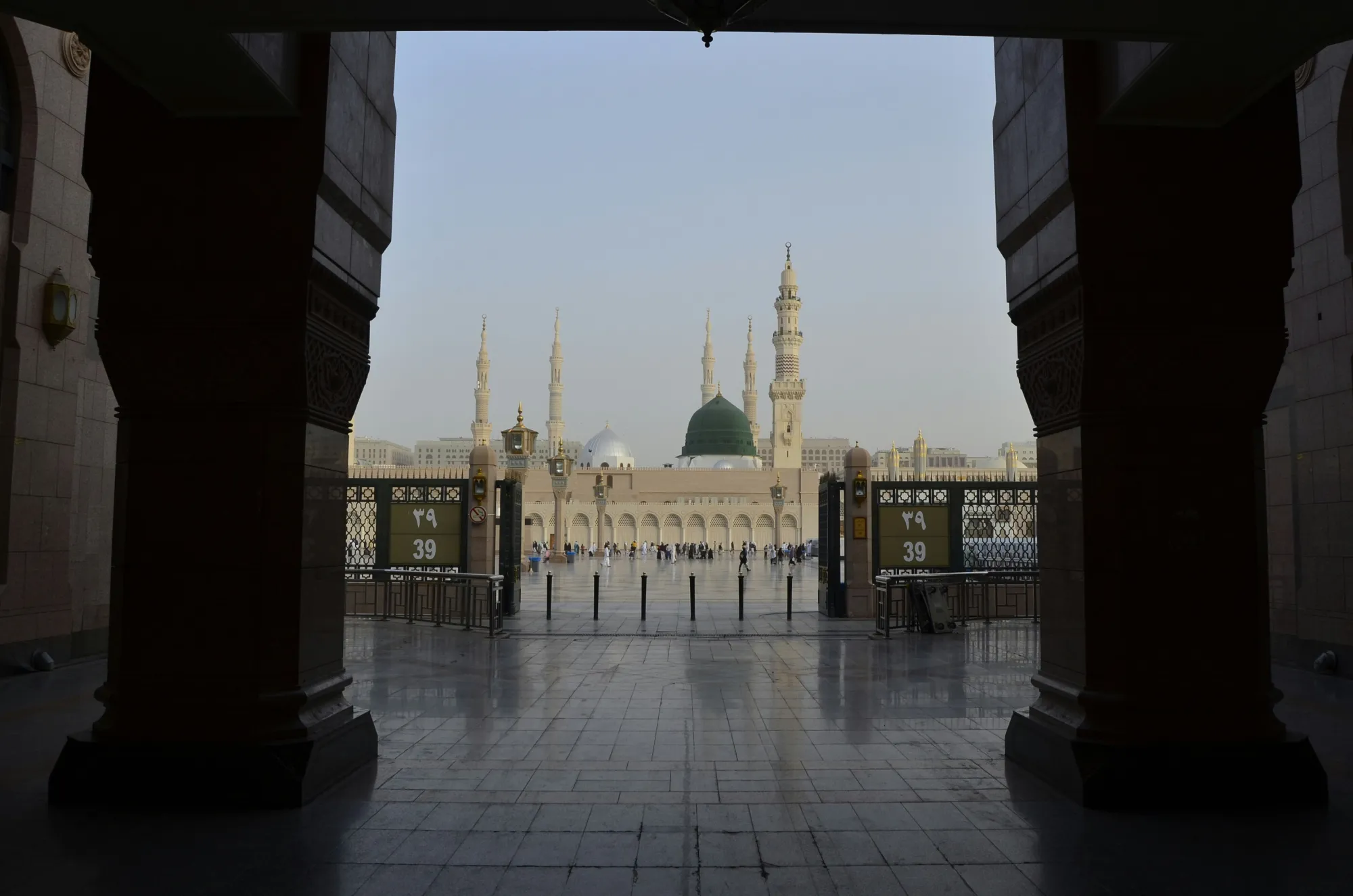
Coverage near the Haram and the Prophet's Mosque
Network coverage in both holy cities is excellent on paper, and STC, Mobily, and Zain all perform well across the central districts. The real challenge isn't coverage — it's congestion. When hundreds of thousands of people gather around Masjid al-Haram or Masjid an-Nabawi at the same time, even a strong network slows down. A short delay loading a QR code for a Rawdah slot can be frustrating in a crowd.
Two habits help. First, download offline Google Maps for Makkah and Madinah before you arrive, so navigation works even when the network is choked. Second, take screenshots of important permits and bookings from Nusuk so you're not dependent on a live load at the worst possible moment.
Hotels and where your data matters most
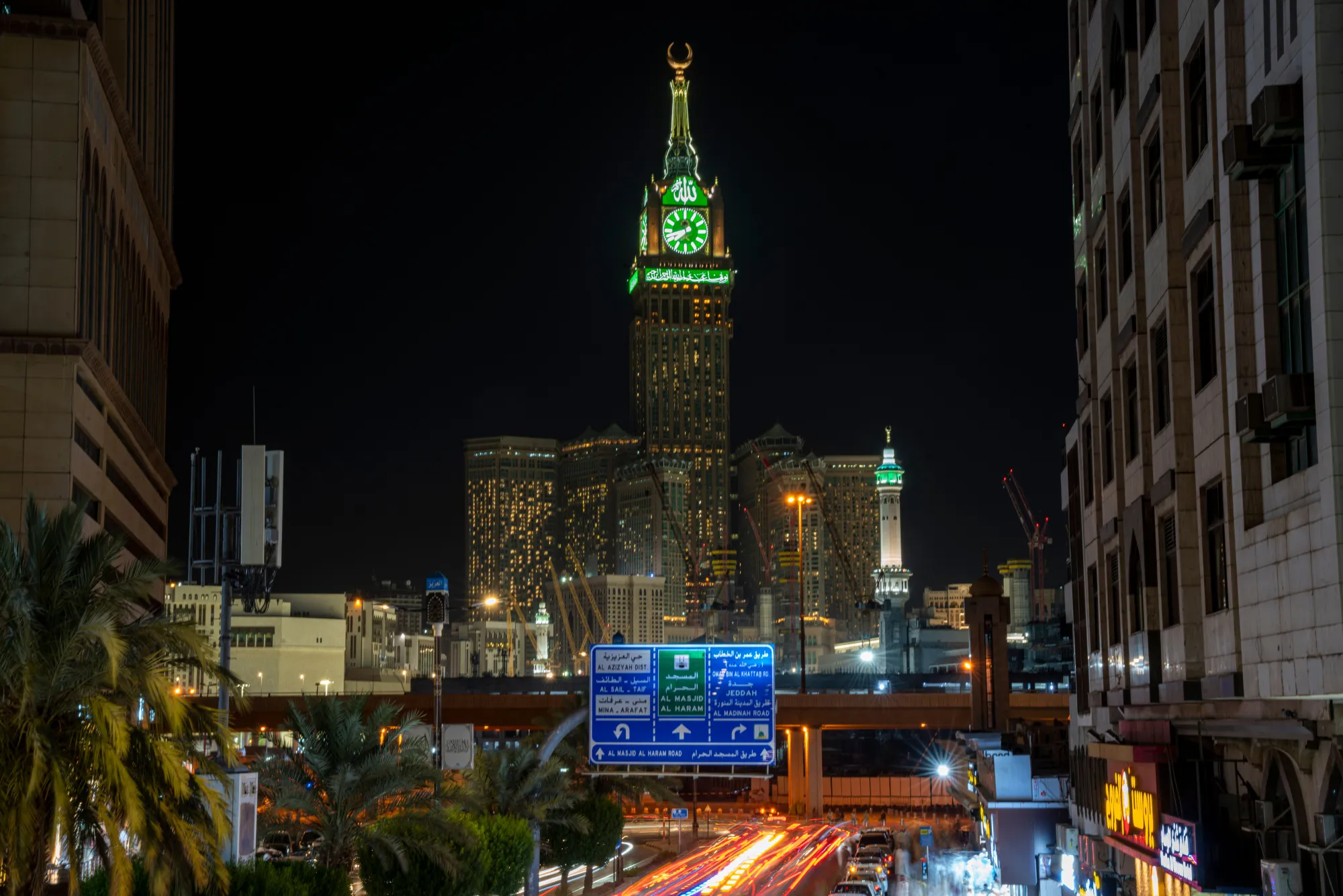
Most pilgrims stay in the central zones — the towers and hotels around the Clock Tower and Ajyad area near the Haram in Makkah, and the Central Haram district close to the Prophet's Mosque in Madinah. Hotel Wi-Fi exists in nearly all of them, but it's frequently overloaded during peak seasons and unreliable for anything time-sensitive. Your eSIM is what you'll lean on when the lobby Wi-Fi stalls, and it's also how you'll handle check-in messages, booking confirmations, and finding your room block if you're with a tour group.
For help choosing that base, see our guides to the best areas to stay in Makkah for Umrah and the best areas to stay in Madinah near Al-Masjid an-Nabawi.
From the airport to your hotel
The moment your eSIM connects on arrival is when it pays for itself. At Jeddah's King Abdulaziz International Airport (JED) or Madinah's Prince Mohammad bin Abdulaziz Airport (MED), you can immediately book a Careem or Uber, message your driver for a pre-arranged private transfer, or check Haramain High Speed Railway times for the run between Jeddah, Makkah, and Madinah — all before you've collected your luggage. Without data, you're stuck negotiating with taxi drivers in an unfamiliar currency. With it, your transfer is sorted in under a minute.
To plan those journeys in advance, see our guides to getting from Jeddah Airport to Makkah and how to travel between Makkah and Madinah.
WhatsApp, calls, and VoIP in Saudi Arabia
Because travel eSIMs are data-only, you'll make calls through internet apps rather than a phone line. For years, voice and video on WhatsApp and FaceTime were restricted in Saudi Arabia. That changed in early 2026, when these services widely started working again — though the situation is best described as functional rather than officially guaranteed.
The sensible approach is to have a backup ready. BOTIM is government-approved and reliable for calls, and Zoom, Google Meet, and Microsoft Teams all work for staying in touch if WhatsApp calling is patchy on a given day. Install at least one before you travel so you're never caught out.
For reference, Saudi Arabia uses 911 as a unified emergency number, alongside the older 999 (police), 997 (ambulance), and 998 (fire). Both 911 and 999 reach dispatch in Arabic and English.
Common eSIM mistakes Umrah travelers make
- Leaving the home SIM as the data line. The eSIM is installed but unused while roaming charges pile up. Set the eSIM as the default data line.
- Buying too little data. A 3 GB plan looks cheap until day three, when navigation between cities has eaten through it. Match your plan to the data table above.
- Installing at the airport. Activation occasionally needs a stable connection and a few minutes of attention — not what you want in an arrivals hall. Install at home.
- Forgetting 2FA. If you remove your home SIM entirely, the verification codes from your bank and Nusuk may never arrive. Keep the home line active for SMS.
- Assuming hotel Wi-Fi is enough. During peak periods it often isn't, especially for live permit loads near the Haram.
Frequently Asked Questions
Is it legal to use an eSIM in Saudi Arabia?
Yes. eSIMs are fully legal and supported by the major Saudi operators and by international travel eSIM providers. No special registration is needed for a travel eSIM.
Which eSIM is best for Umrah?
For most travelers, a 10–15 GB data-only plan covers a typical 7–10 day Umrah trip. Choose an unlimited plan if you want hotspot sharing and don't want to track usage, and don't mind paying more. You can buy and install one on our eSIM page.
Will my eSIM work with the Nusuk app?
Yes. Nusuk needs an active internet connection for permits, Rawdah bookings, and updates, and any working Saudi data eSIM provides that. Just make sure the eSIM is set as your data line.
Can I make WhatsApp calls in Saudi Arabia?
As of early 2026, WhatsApp and FaceTime voice and video widely work again, though it isn't officially confirmed as permanent. Keep a backup like BOTIM, Zoom, or Google Meet installed just in case.
When should I install my eSIM?
Install it 1–2 days before you fly, while you have home Wi-Fi, so you can confirm it works. Your data won't start counting until you enable roaming after landing in Saudi Arabia.
Does an eSIM give me a Saudi phone number?
No. Travel eSIMs are data-only. You keep your home number for calls and texts, and use data apps for everything else. If you specifically need a local number, buy a registered prepaid SIM instead.
Can I buy an eSIM for my parents who aren't tech-savvy?
Yes. Purchase on your own device, email or forward the QR code to them, then scan it on their phone and adjust the data settings — it takes a few minutes.
How much data do I need for a 10-day Umrah trip?
Around 10–15 GB is comfortable for ten days of maps, messaging, Nusuk, photos, and browsing. Heavier users sharing lots of video should lean toward 15–20 GB or an unlimited plan.
Will my phone support an eSIM?
Most phones from the last several years do, including iPhone XR/XS and newer, Samsung Galaxy S20 and newer, and Google Pixel 3 and newer. Your phone must also be network-unlocked.
The bottom line
For Umrah in 2026, an eSIM is the simplest way to land connected and skip the airport SIM queue entirely. Match your plan to your trip rather than chasing the lowest sticker price: a 10–15 GB data-only plan is the sweet spot for a standard Umrah, while an unlimited plan is the pick if not tracking data matters more than cost. Install it before you fly, set it as your data line, keep your home SIM active for security codes, and you'll have everything you need — Nusuk, maps, transfers, and a line home — working the moment you arrive in Jeddah or Madinah.
Ready to sort it now? Browse and install a Saudi plan on our eSIM page before you travel.
Last updated: June 2026. eSIM prices and provider plans change frequently; always confirm current pricing before you buy.